FAQ
更新: 2026/8/21 字数: 0 字 时长: 0 分钟
How TM is maintained in Transdoc
Translation memories are a very important linguistic asset in project management. Real-time, effective, and accurate updates allow subsequent projects to better reuse translations, save costs, and improve consistency of translation style. As an online translation management platform, Transdoc provides the following three to update translation memories:
Workflow TM
Use the TM as a Workflow TM and update it in real time at each workflow node. As shown, at the T and E workflow nodes, linguists can confirm segments while translating and upload updates to the specified TM in real time. Note that these updates are done on a segment-by-segment basis and only the most recent translation are kept; historical translations will be overwritten. Workflow TM is suitable for scenarios where multiple translators collaborate, allowing linguists to view and refer to the latest translations in real time. 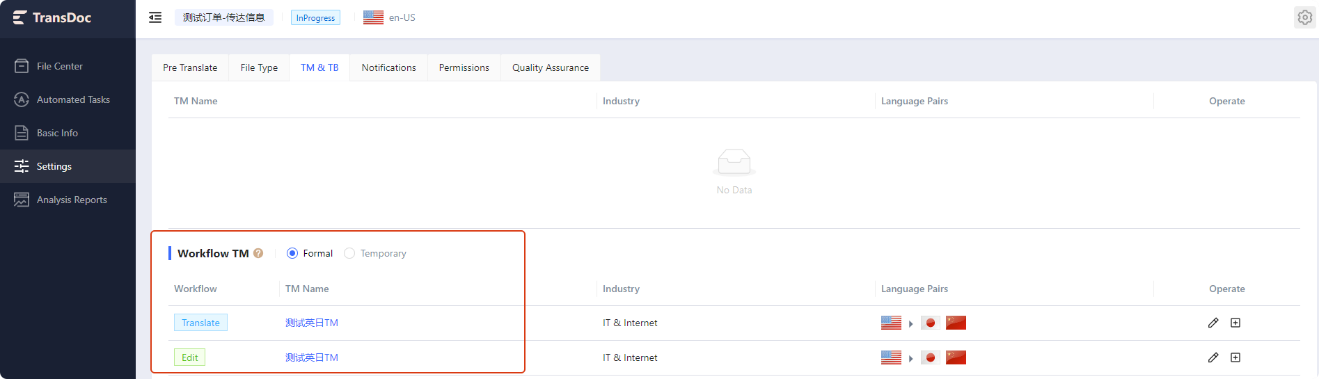
Update TM
With Transdoc's Update TM feature, you can select multiple bilingual files and update multiple TMs at once. This feature is suitable when translation, proofreading, QA, and other checks are completed online and the online bilingual file is treated as the final bilingual version. 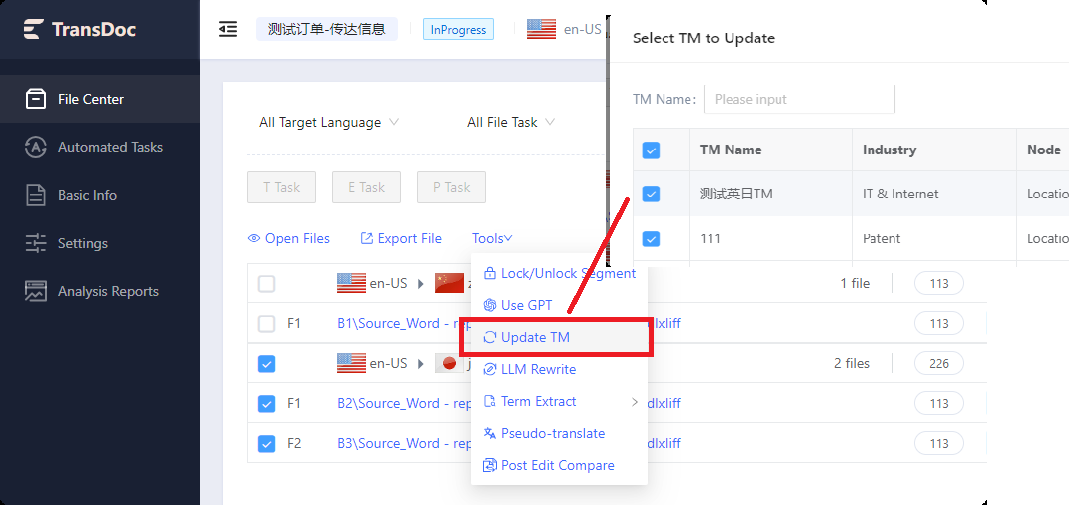
TM maintenance
Upload TMX, sdlxliff bilingual, and sdltm format files to Transdoc TM. Note that Transdoc currently restricts uploads to one file at a time, so if there are many bilingual sdlxliff files, it is recommended to first update and maintain the TM or bilingual files in Trados Studio, export them as TMX, and then upload to Transdoc. The TM maintenance function is suitable for situations where QA checks, client review, readability checks, etc., are performed offline and bilingual files need to be maintained offline. 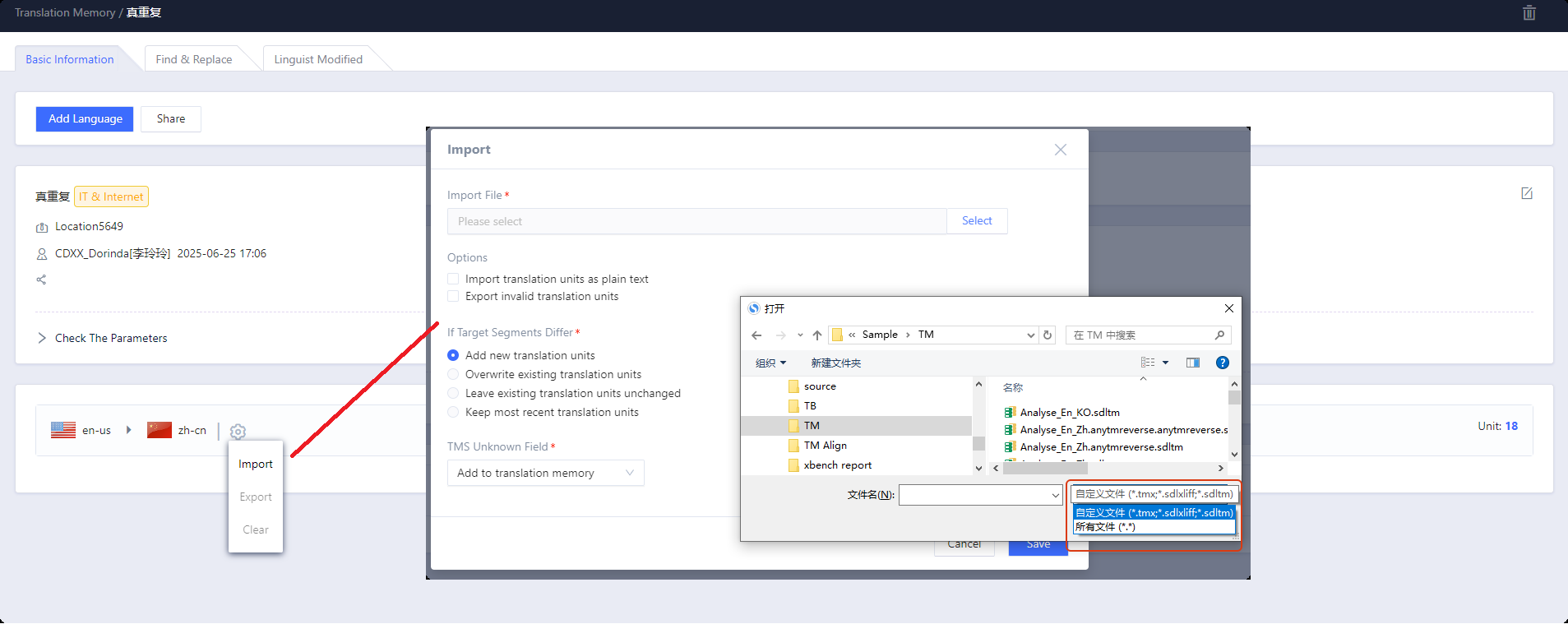
Difference between Add as New and Merge when maintaining terminology in Transdoc
When updating offline Excel terminology into Transdoc, please choose Add as New or Merge based on actual needs to avoid confusion in the terminology database. These two terminology maintenance methods are described as below.
Merge
Duplicate entries with conflicting translations between offline Excel and Transdoc terminology need to be consolidated to merge polysemous terms. 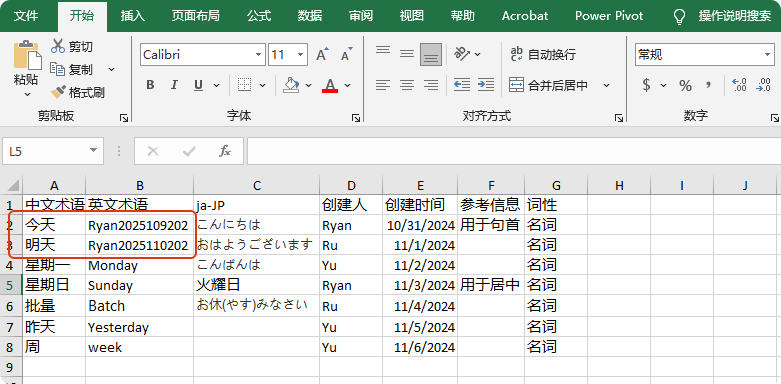
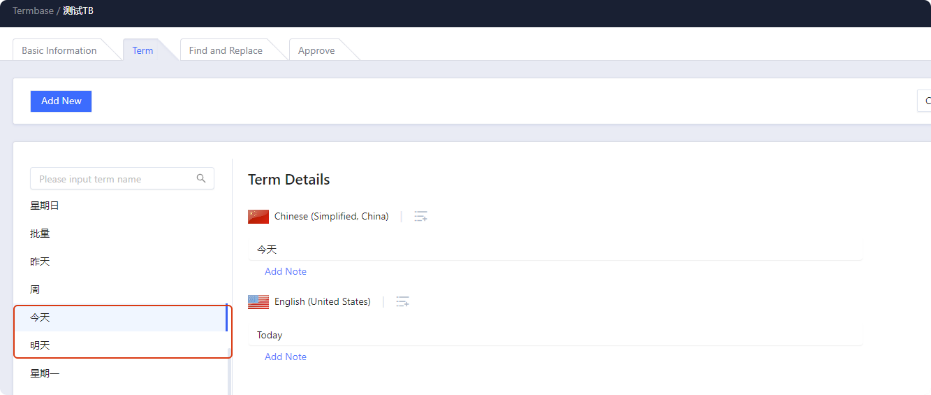
Select Merge when importing terminology.
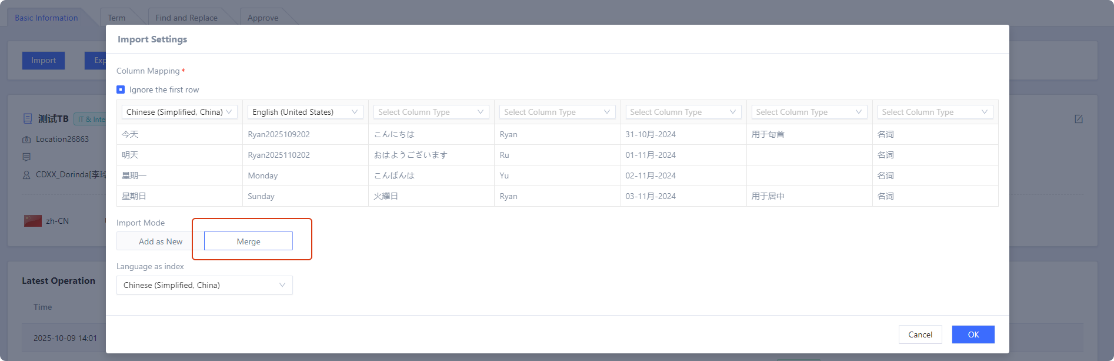
After merging, the Transdoc terminology will be stored as a single entry with multiple translations, separated by the divider “|”.

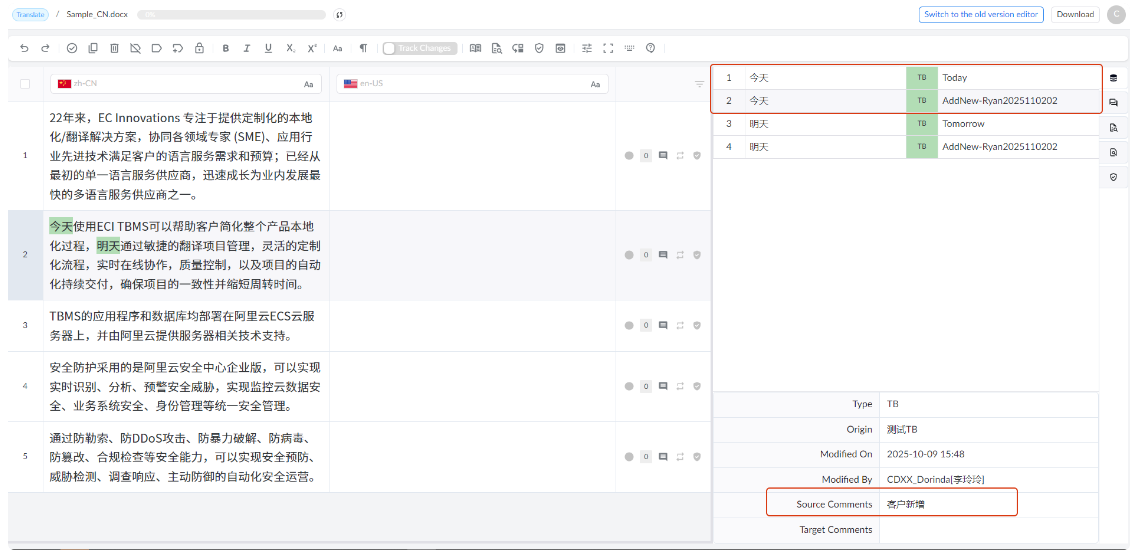
In Transdoc, querying of terminology on the linguist side is shown as follows.
Add As New
Similar to the first method, when offline Excel terminology and Transdoc terminology have duplicate entries, if you choose Add as New, let's see what will happen.
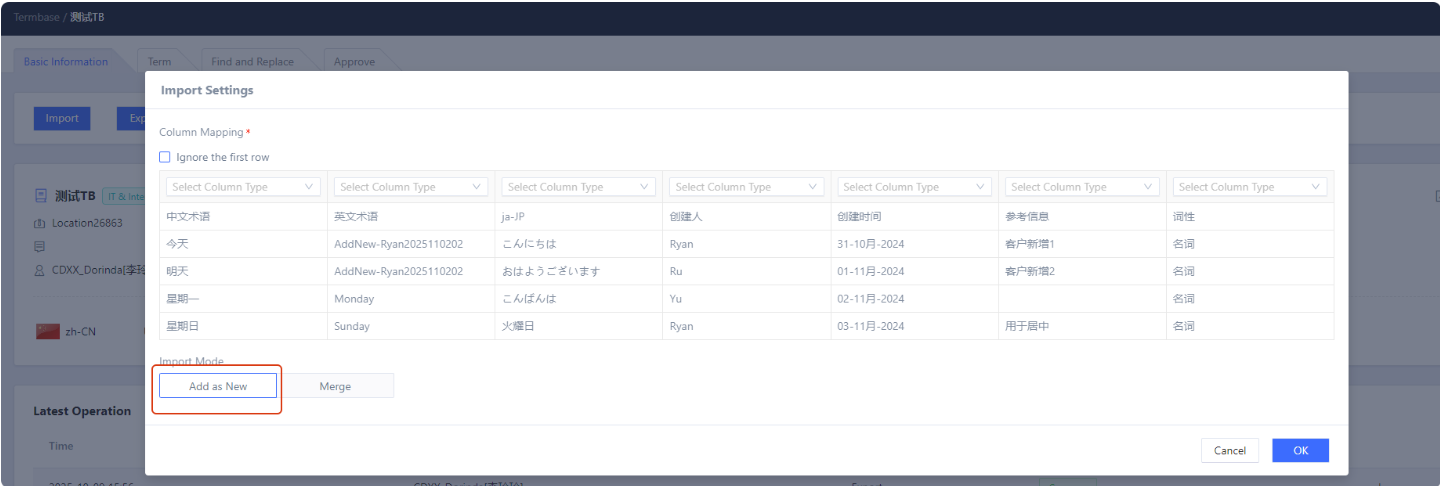
The terminology will be stored as newly added entries; that is, even if entries are duplicates, they will be stored as multiple terminology entries.

Although there is no influence on terminology search for linguists, the number of entries in terminology management will double.
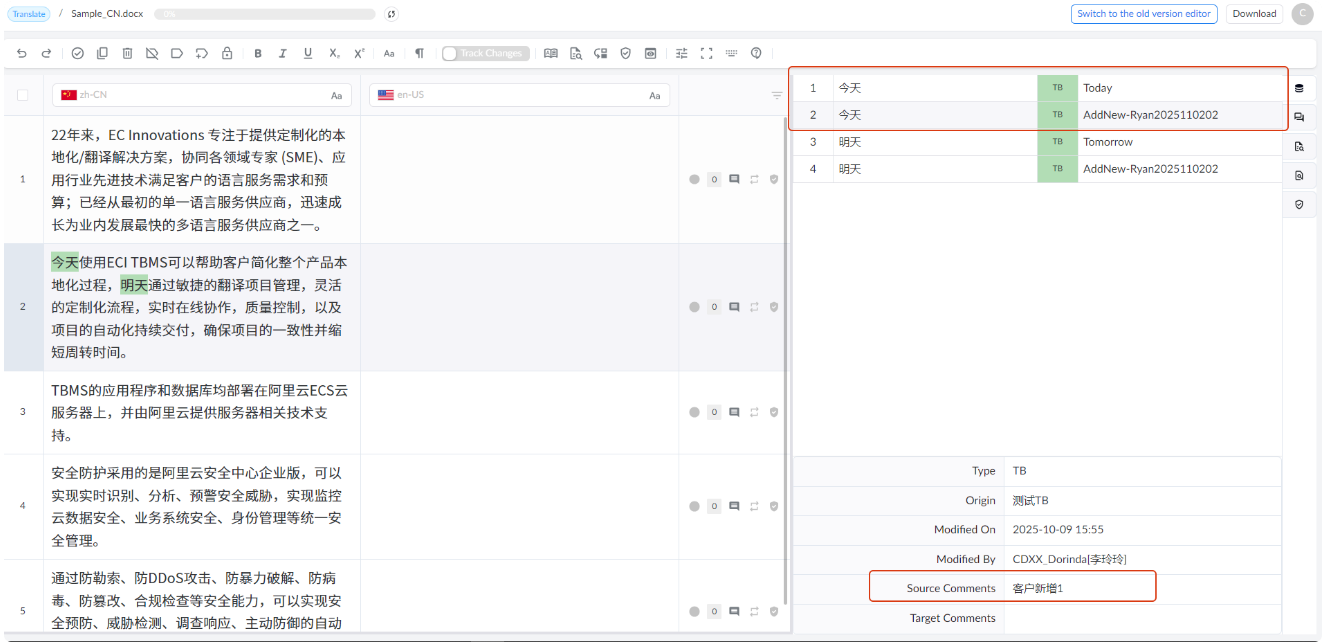
Summary of differences
In summary, Merge is suitable when the offline terminology contains duplicate entries, while Add as New is suitable when the offline terminology does not contain duplicate entries.
How to set the correct TM parameters in Transdoc so that linguists can accurately apply translations for repeated content
Many linguists use Repetition  and Auto-Propagation features when translating.
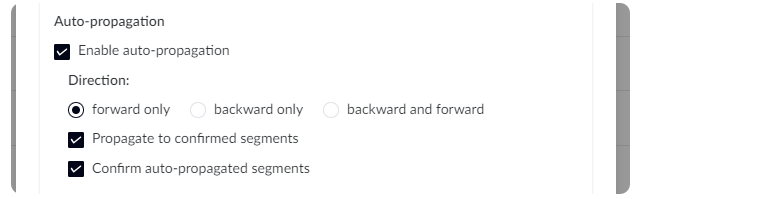
PMs need to correctly configure the TM according to the characteristics of the source content when creating the TM so that linguists can work efficiently, because the TM parameter settings will change the recognition and locking logic of repetitions.
First, explain the meaning of each parameter. Dates: dates, such as December 6, 2023; December 7, 2025; etc. Times: times, such as 4:00, 18:00, etc. Numbers: numbers, such as 202333, 139000, etc. Acronyms: acronyms, such as RAM, ROM, etc. Variable: variables, such as Report_{XXXX}.docx, Report_{YYYY}.docx, etc. Measurements: units, such as 30 km/H, 15 m/s, etc. Alphanumeric Strings: alphanumeric strings, such as AE3DS289HG, HS57D22D33, etc.
Below is a detailed explanation of the parameter settings in the TM.
1. No parameters checked in the TM
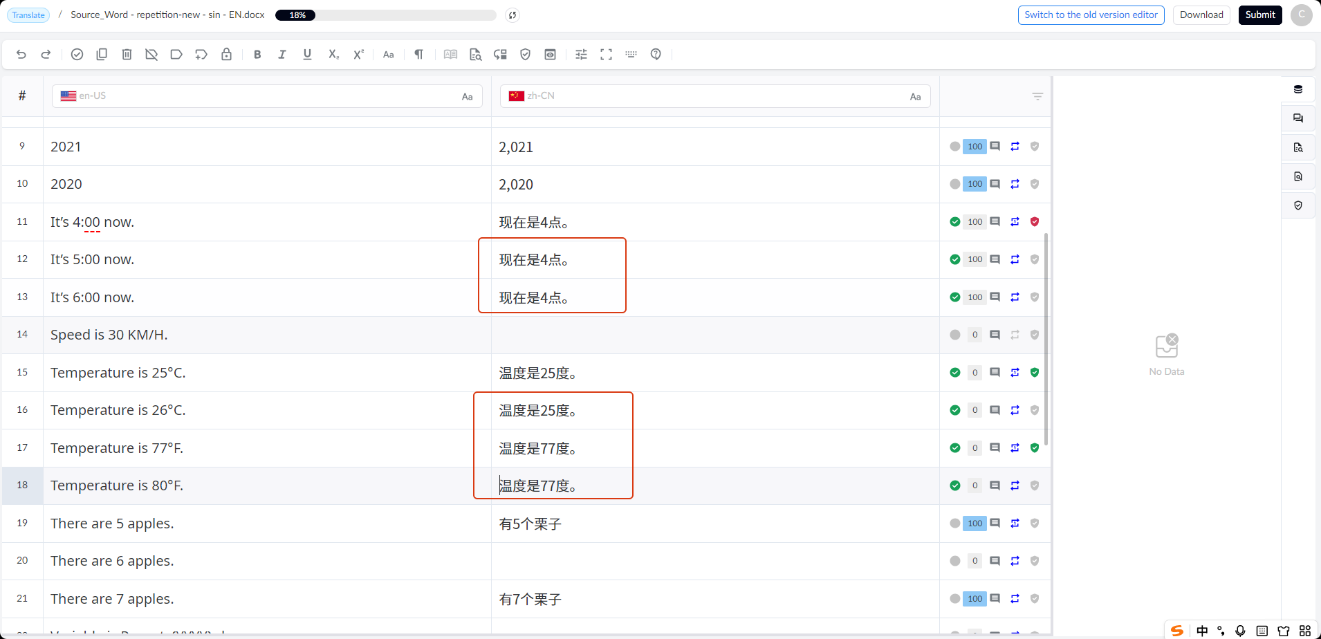
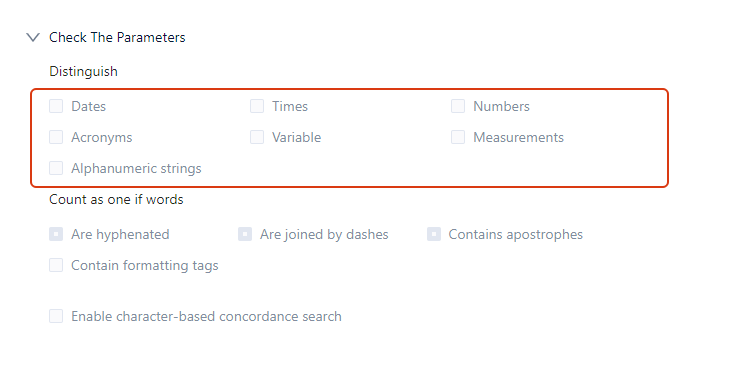 Locking: Supports locking of true repetitions. As shown in the figure, segment 25 and segment 24 are exactly the same and are locked as true repetitions.
 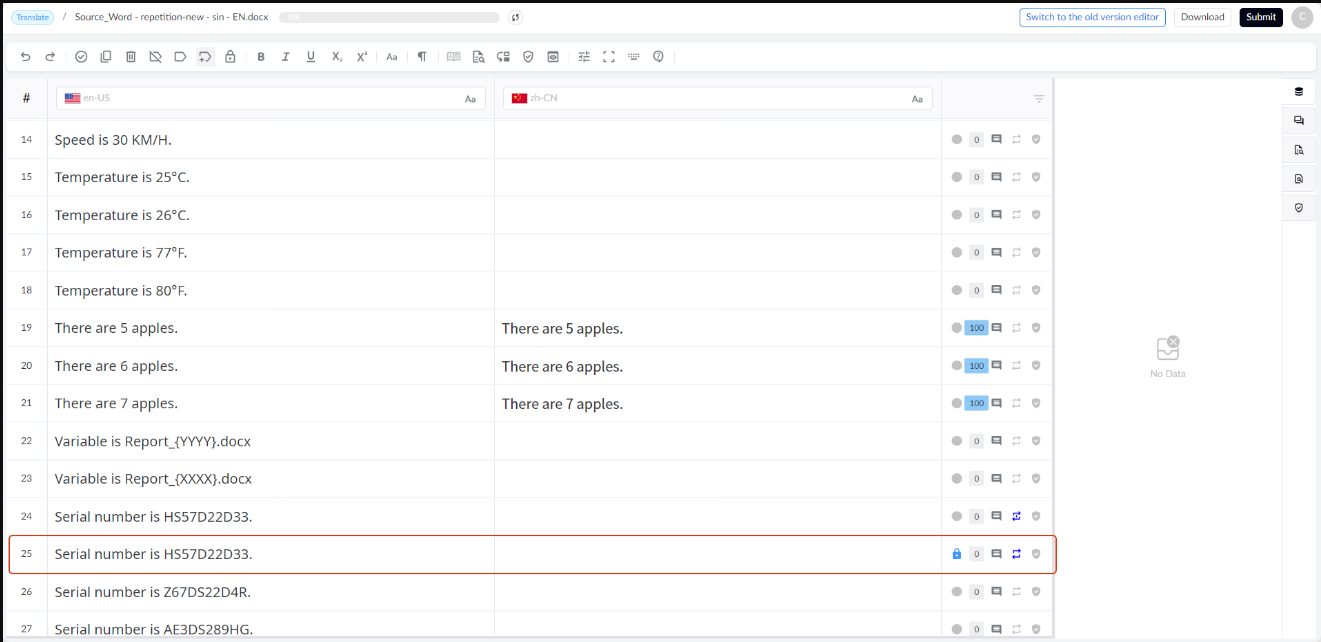 Auto-propagation: When enabled by the linguist, it only auto-propagates the first occurrence of a true repetition.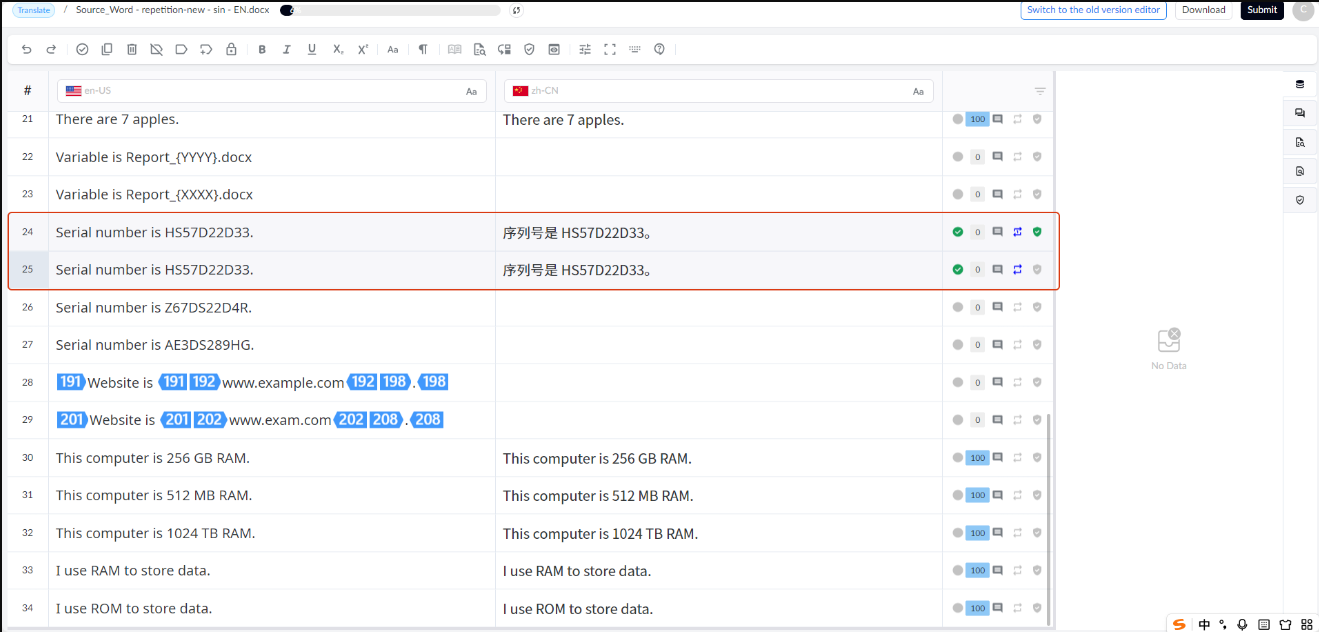
2. All/partial parameters checked in the TM
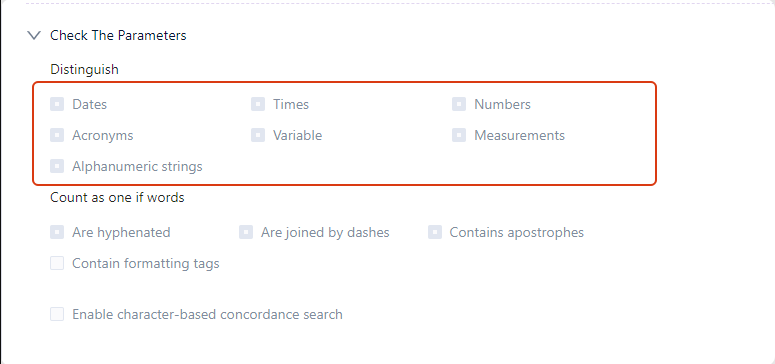 Locking: Supports locking of false repetitions. As shown in the figure below, the segments are all locked as false repetitions.
 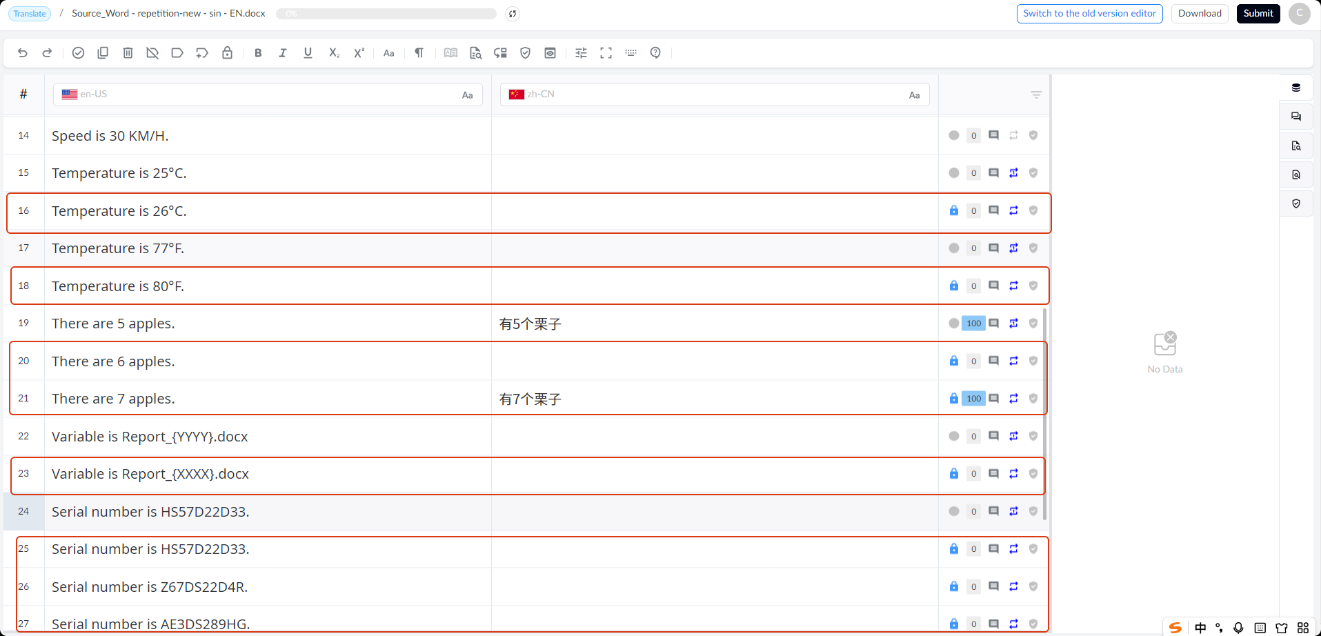 Auto-propagation: Propagates false repetitions. This feature should be used with caution; linguists are advised to recheck the translation quality before confirming segments after enabling it. Due to the nature of false repetitions, the system will automatically apply the translation of the first repetition to subsequent segments.