
Spelling Check Dictionary
Click the Spelling Check Dictionary option in Settings to enter the spelling check dictionary configuration page. Here you can create dictionaries for different languages and manage spelling check rules.
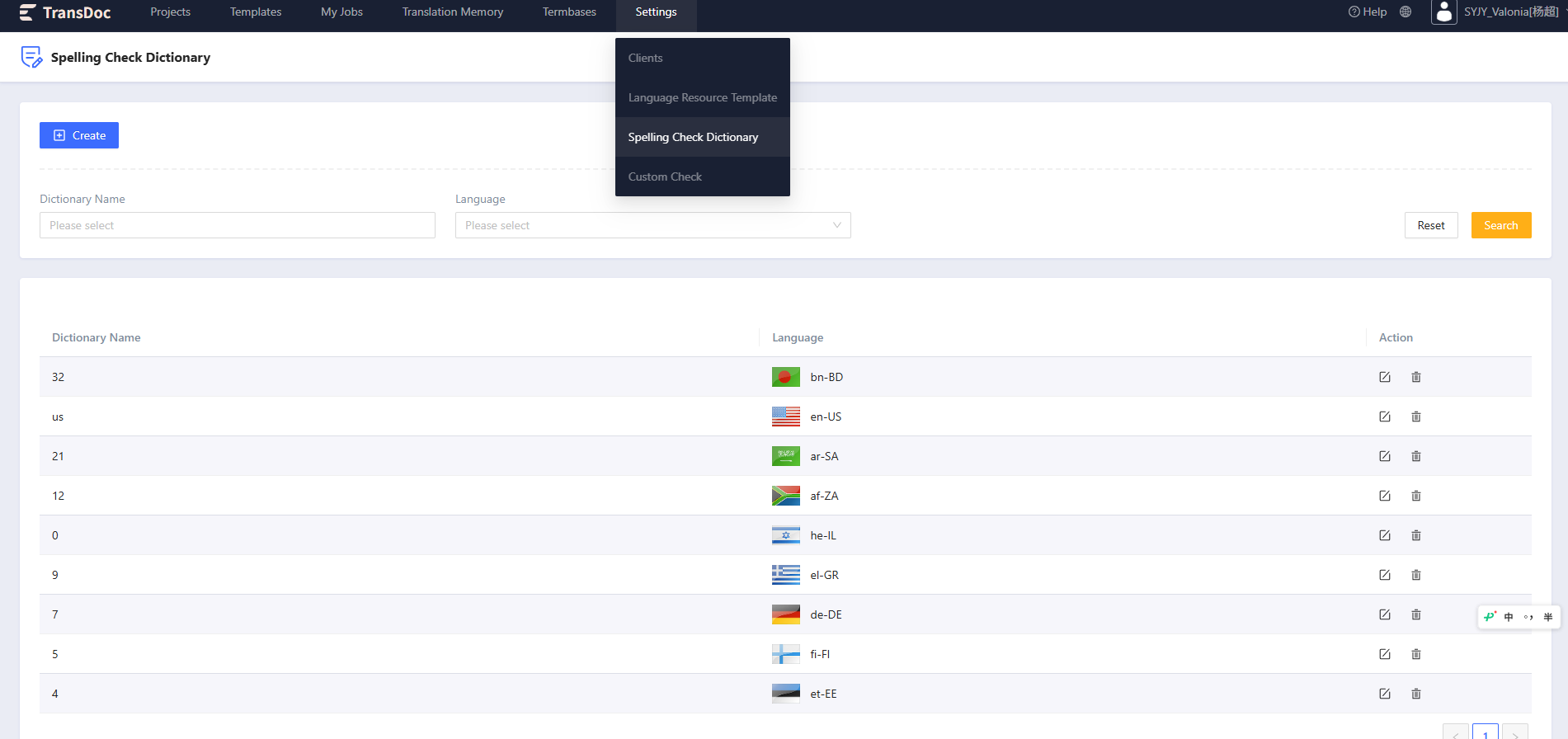
Dictionary List
On the dictionary list page, you can view all created dictionaries and perform the following operations:
- Create Dictionary: Click the Create button at the top right to open the create dialog.
- View Details: Click the dictionary name (highlighted with an underline on hover) to enter the dictionary details page.
- Edit Dictionary: Click the Edit icon on the right side of the list to modify dictionary information.
- Delete Dictionary: Click the Delete icon on the right side of the list to delete the dictionary.
Create/Edit Dictionary
Click the Create button or the edit icon in the list to display the create/edit dialog.
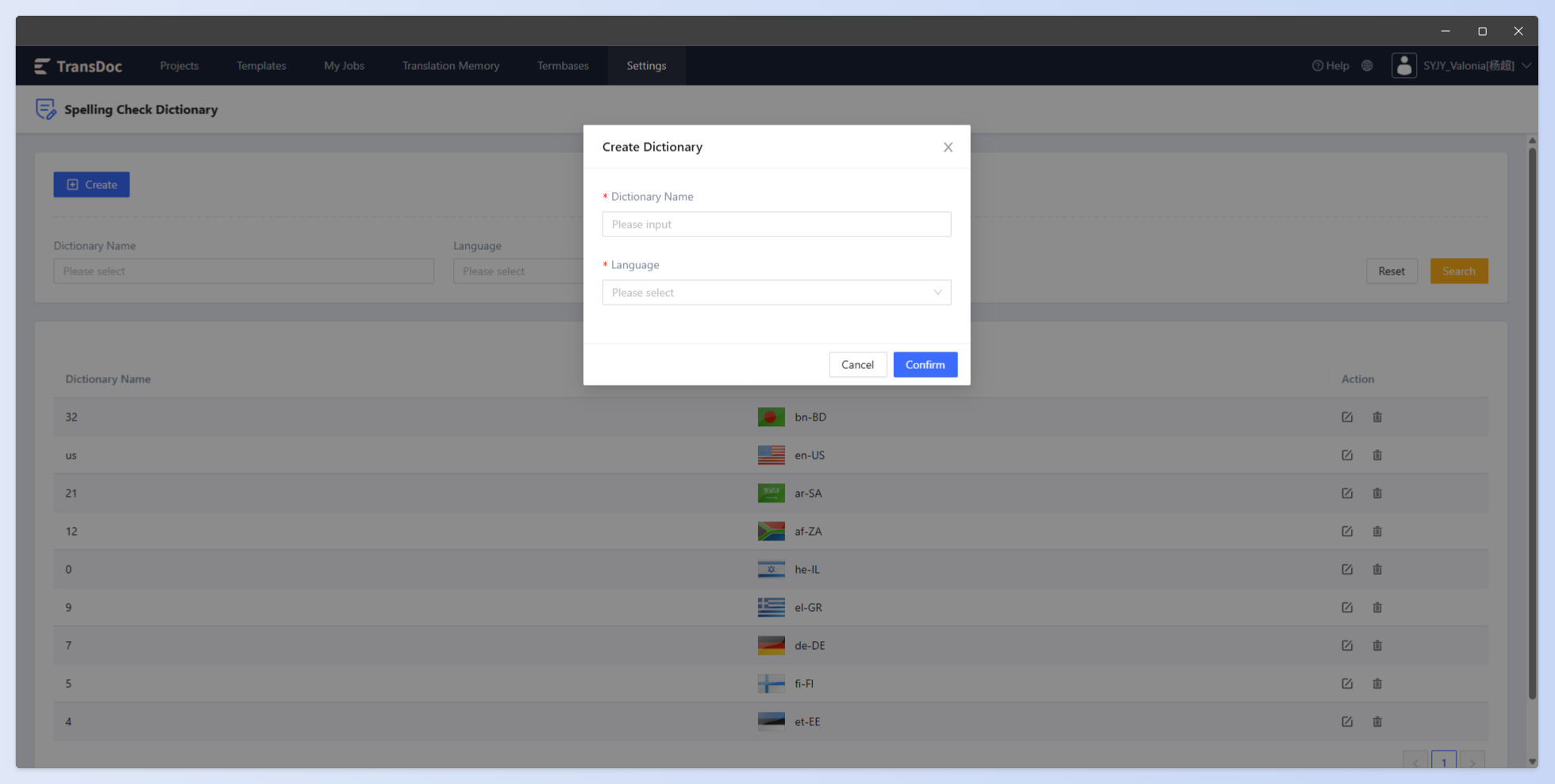
Configure the following information in the dialog:
- Dictionary Name: Enter the dictionary name (required).
- Language: Select the language corresponding to the dictionary (required).
- Note: Each language can only be set once; the dropdown only shows languages that have not been used.
Dictionary Details
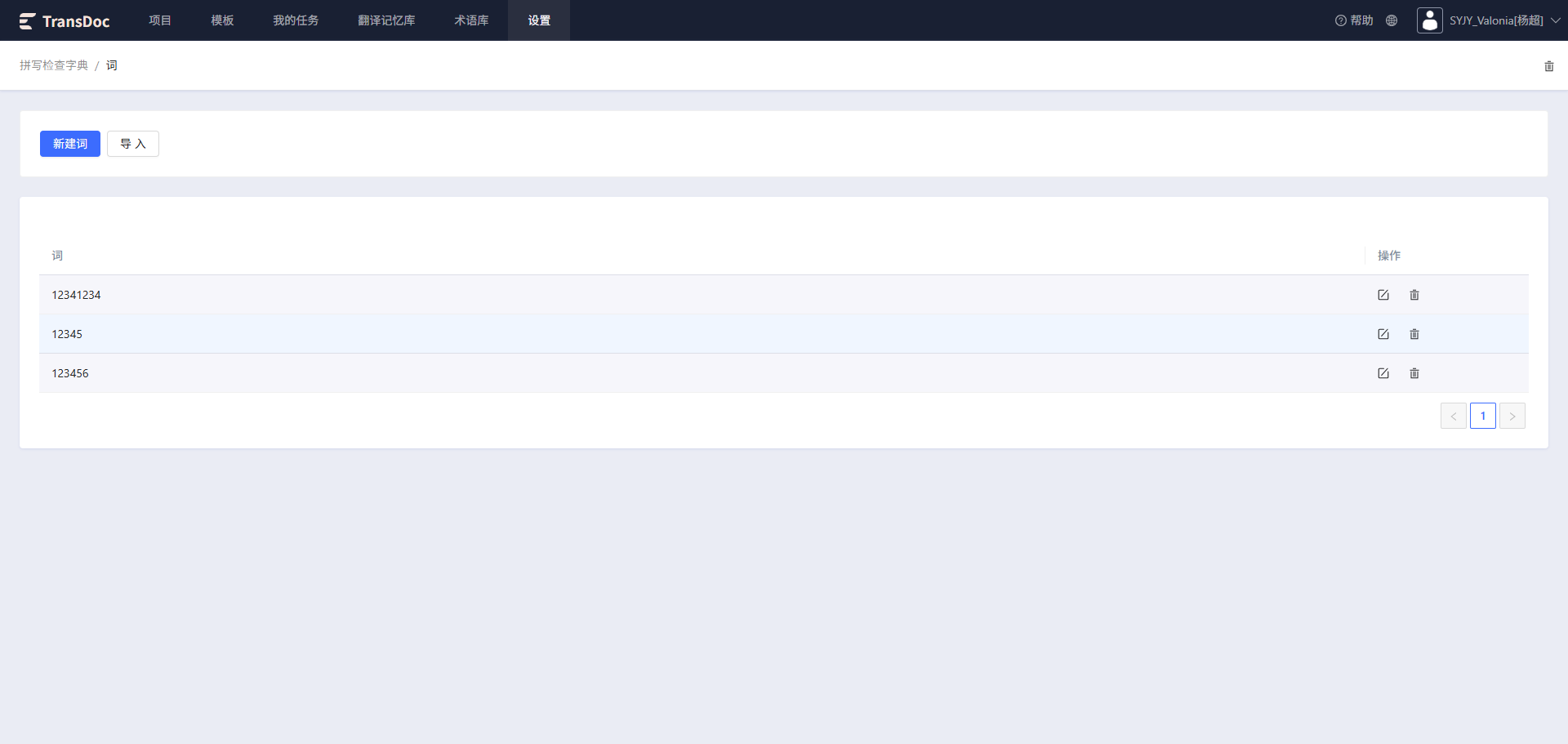
Click the dictionary name to enter the details page, where you can manage the word list for that dictionary.
- Add Word: Click the New Word button to add words manually.
- Import Words: Click the Import button to import words in batch.
- Edit/Delete Words: Edit or delete individual words in the list.
- Delete Dictionary: Click the Delete icon at the top right of the page to delete the current dictionary.